
Driving Licence Renewal (DL) in India is important so you can keep driving legally and avoid fines or problems. You should apply for renewal before your licence expires or within 30 days after expiry (called the grace period) to avoid extra charges. Most states charge about ₹200 if you renew on time, and about ₹300 if you renew after the grace period. If you delay more than one year after expiry, you may need to pay a higher fee like ₹1000 or even take a fresh test.
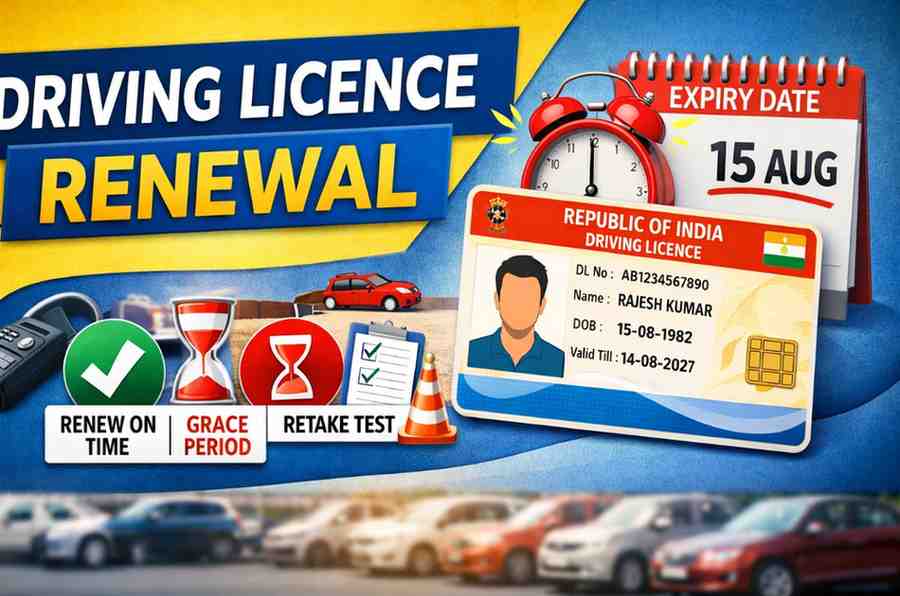
You can renew your licence online through the official Parivahan/Sarathi portal by entering your DL number, date of birth, and other details, uploading documents and paying the fee. After that you may choose a date to visit your Regional Transport Office (RTO) for document verification. You can also renew offline by going to your RTO, filling Form 9 (the renewal application), and submitting it with required documents.
Common documents you must have are the original driving licence, passport-size photos, proof of age and address, and a medical certificate (Form 1A) if you are above 40 or 50 years old. Always check the exact fees and steps for your state before applying online or offline.
Driving Licence download 2026,Official Website, mParivahan App & Using DigiLocker
An Overview Table On Driving Licence Renewal
| Item | Details / Numbers |
|---|---|
| Grace period after expiry | 30 days to renew without penalty |
| Renewal fee (within expiry / 30 days) | ₹200 |
| Late renewal fee (after 30 days) | ₹300 |
| Penalty for each year after 1 year | ₹1,000 per year |
| Form to apply | Form 9 (application) |
| Medical certificate required | Form 1A if aged above ~40 years |
| Validity of licence | 20 years or until age 40 (then 10/5 years) |
| Online application | Through Parivahan / Sarathi portal |
| Offline application | Visit local RTO with documents |
| Documents needed | Original DL, passport photos, address proof, age proof, medical (if needed) |
When To Do Driving Licence Renewal In India
- You can apply for renewal up to one year before it expires. This means don’t wait until the last minute; start early if you can.
- After the licence expires, you still have a 30-day grace period during which you can renew without extra penalties in most states.
- If you renew after the 30-day grace period, you may have to pay additional fees or penalties. Many places charge increased fees or fines for late renewal.
- If your licence remains expired for more than one year, many RTOs will require you to take the driving test again before you can renew.
- Some states allow renewal within one year after expiry, but you may have to pay higher late fees and there may be conditions for medical checks or retests.
Requirements for Driving Licence Renewal
- Valid or Expired Driving Licence
You must have your original DL (even if it is expired). - Application Form (Form 2)
- Form 2 you will get here –CLICK HERE
- Fitness Declaration (Form 1)
A self-declaration that you are medically fit to drive.- CLICK HERE - Medical Certificate (Form 1A)
Required if you are 40 years or above or applying for a commercial licence. – CLICK HERE - Identity Proof (Any one)
• Aadhaar Card
• Voter ID
• Passport - Address Proof (Any one)
• Aadhaar Card
• Electricity/Water Bill
• Ration Card
• Passport - Passport-Size Photographs
Usually 2 recent photos (may not be needed if applied online with photo capture). - Age Proof (If required)
• Birth Certificate
• 10th Marksheet
• Passport - Renewal Fee
• On time: around ₹200
• Late renewal: extra charges may apply - Appointment Slip (For Online Applicants)
If you applied online, carry your slot booking receipt.
How To Renew Driving Licence Online
Here’s a simple, step-by-step explanation of how to renew your driving licence online in India:
- Go to the official portal:
Visit the Parivahan/Sarathi website (sarathi.parivahan.gov.in) and go to Online Services. - Select your state:
Choose the state where your licence was issued from the dropdown list. - Find the renewal option:
Click on “Driving Licence Related Services” and then choose “Apply for DL Renewal.” - Enter your details:
Enter your licence number, date of birth and the captcha code, then click “Get DL Details.” - Fill the application:
Complete the online renewal form (usually Form 9) with correct information. - Upload documents:
Upload scanned copies of required documents, such as your original driving licence, identity proof, address proof, and photograph. If you’re over a certain age, you may also need a medical certificate. - Pay the fee:
Pay the Driving Licence Renewal fee online using the available payment options. - Book appointment (if required):
After payment, you may be asked to book a slot with your local RTO for verification. - Visit RTO (if needed):
On the scheduled date, visit the RTO with the original documents for verification. - Receive your licence:
After verification and processing, the renewed licence is usually sent to your registered address.
Renewing online saves time and helps avoid long waits at the RTO.
How To Renew Your Driving Licence Offline
For Driving Licence Renewal Follow below carefully
- Visit your local RTO:
Go to the nearest Regional Transport Office (RTO) during office hours to begin the process. - Get the application form:
Ask for or collect the renewal form (usually Form 9) at the RTO counter, or download and print it from the official Parivahan portal before you go. - Fill in your details:
Complete the form with correct information such as your name, driving licence number and date of birth. - Attach required documents:
Prepare and attach:
• Your original driving licence and photocopies
• Proof of age and address
• Passport-size photos
• Form 1 (self-declaration of fitness)
• Form 1A (medical certificate) if you are above 40 years old. - Submit the form and papers:
Hand in the filled-in form and documents at the RTO counter for verification. - Pay the renewal fee:
Pay the prescribed renewal fee at the RTO payment counter and keep the receipt. Fees vary by state but usually start around ₹200. - Verification and processing:
The RTO will check your documents. You may need to complete a quick biometric check (photo/fingerprints) if required. - Licence delivery:
After verification, your renewed driving licence is processed and usually sent to your registered address or can be picked up from the RTO.
This offline method is helpful if you prefer in-person assistance or have trouble applying online.
Process To Check Driving Licence Renewal Status Online
Here’s how you can check the status of your driving licence renewal (or any DL application) online in India:
- Official Government Portal:
Go to the Parivahan Sewa / Sarathi portal (the central transport website used by all states) and look for the “Online Services” section. - Select Your State:
From the dropdown list, choose the state where you applied for your licence renewal. - Find “Application Status”:
In the menu, click on “Application Status” under Driving Licence related services. - Enter Required Details:
You will usually need your application number / licence number, your date of birth (DOB), and the captcha code shown on screen. - Submit and View:
After entering the details correctly, click Submit. The portal will show whether your renewal application is pending, approved, dispatched, or completed.
Quick tip for accuracy: Make sure your mobile number and details are updated in the Parivahan/Sarathi database before checking status, as messages or SMS alerts may be sent there too.
This online method works for licence renewal, new DL applications, duplicates, and other driving licence related services across most states.
What Is The Fee Structure For The Driving Licence Renewal
| Service / Situation | Fee (₹) |
|---|---|
| Renewal of driving licence within expiry / grace period | 200 |
| Renewal after grace period (late) | 300 |
| Additional penalty for delay (per year after grace period) | 1,000 per year |
| Driving licence issuance (new licence) | 200 |
| International Driving Permit | 1,000 |
| Adding another class to DL | 500 |
| Duplicate Driving Licence | 200 |
| Learner’s licence testing | 50–300 (varies by step) |
How To Book A Slot (appointment) For Your Driving Licence Renewal
- Finish your online application first:
You should complete your DL renewal application online on the Parivahan / Sarathi portal and pay the renewal fee before booking a slot for document verification. Once your application is submitted, you can schedule a slot. - Go to the official appointment section:
Visit the Parivahan / Sarathi Parivahan website (sarathi.parivahan.gov.in) and look for the “Appointments” or “Slot Booking” option under the driving licence services. - Select your state and service:
Choose the state where your licence was issued, and then select the service type, such as “DL Renewal Slot Booking” (or related licence service). - Enter your details:
You may be asked to enter your application number, driving licence number, and date of birth, along with a captcha to see available time slots. - Choose a date and time:
Look at the available dates and times shown for your nearest RTO office and select one that works for you. - Confirm booking:
After choosing a slot, confirm the appointment. The system will generate an appointment slip or confirmation that you should save or print. - Visit the RTO on your slot:
On the scheduled date and time, go to the RTO office with your original documents, appointment slip, and payment receipt to complete the renewal process.
Notes:
• Not all states allow online slot booking for every service, so if the appointment option doesn’t appear, you may need to visit the RTO directly after submission.
• You can usually reschedule or cancel your booked appointment if needed through the same portal.
Help Desk For Parivahan Driving Licence Renewal
| Helpdesk / Support Type | Contact Details | Purpose / Notes |
|---|---|---|
| Parivahan Sewa Helpline (All-India) | ???? +91-120-4925505 | Central helpline for transport services including DL & renewal queries |
| Driving Licence / Sarathi Queries | ???? helpdesk-sarathi@gov.in | Email support for DL renewal, slot booking, status, uploads |
| Vehicle Registration & Taxes | helpdesk-vahan@gov.in | For related issues like RC & registration (not specific to DL but support available) |
| mParivahan App Support | helpdesk-mparivahan@gov.in | For app technical problems (DL in app, login, downloads) |
| eChallan / Traffic Fine Support | helpdesk-echallan@gov.in | Queries about challans or traffic payments (different from DL renewal) |
| RTO Local Office Contact | Varies by city/state | You can also call your state RTO office for DL renewal help (numbers differ by location) |
| Learner Licence Helpline (older support) | +91-120-2459169 | Used for learner licence queries; sometimes useful if linked to DL issues |
Tips for contacting helpdesks:
• Include your DL number, application number and date of birth in your message or call for quicker support.
• For technical issues on the Parivahan portal or mParivahan app, email first so there’s a written record.
• Local state Transport Department or RTO offices can also help if the national helpline doesn’t resolve your issue.
Frequently Asked Questions On Driving Licence Renewal
1. Can I renew my DL anywhere in India?
You generally must renew your licence in the state where it was issued. If you’re in another state, you may need a NOC (no objection certificate) from the original RTO. Rules can vary slightly by state.
2. How close to expiry can I renew my licence?
You can renew your DL up to 6 months before it expires on the official system, and often 1 month before at many RTOs.
3. What is the maximum validity of a DL?
For most people a private DL is valid for 20 years or until the holder reaches age limits like 40 or 50, whichever is earlier. After that, shorter validity periods apply.
4. How do I renew my expired driving licence?
If expired recently, you can still renew by applying with the normal process online or at the RTO, but you may pay a higher fee. If it’s expired over a longer time (over 1 year), you may have to reapply like a new licence process.
5. What is the maximum age to renew a driving licence in India?
There is no maximum age limit. You can renew at any age, but after 40 or 50 years your licence is renewed for shorter periods like 10 or 5 years and may require medical checks.
6. What is the fine for an expired driving licence in India?
If you renew within the 30-day grace period after expiry, usually no fine. After that period, states may charge late fees or penalties. Driving with an expired licence can also lead to traffic fines.
7. Can I still drive when I am 70?
Yes, you can drive at 70 if your licence has been renewed and is valid. Older drivers may need medical checks and more frequent renewals.
8. Can I drive after 60 years?
Yes, you can continue to drive after 60 if your licence is valid and renewed on time.
9. Can I drive while waiting for my licence renewal?
If your licence is still within the expiry date or the 30-day grace period, it’s considered valid during that time. After that, it’s illegal to drive until renewal is completed.
10. What is the grace period for renewal?
There is a 30-day grace period after expiry in which you can renew without extra penalties.
11. Can a driving licence be renewed after its expiry in India?
Yes, you can renew after expiry, but you may have to pay late fees or penalties depending on how late you apply.
12. What is the renewal due date?
The renewal due date is before or on the expiry date shown on your licence. If you miss it, the 30-day grace period begins after expiry.
13. Can I claim after waiting period?
Insurance and legal matters vary by case, but courts have recognised that a licence within the 30-day grace period may still be considered valid for some claims.