
An e-Challan is a digital version of a traffic fine issued when someone breaks traffic rules like speeding, jumping a red light, not wearing helmet/seatbelt, wrong parking or other offences.
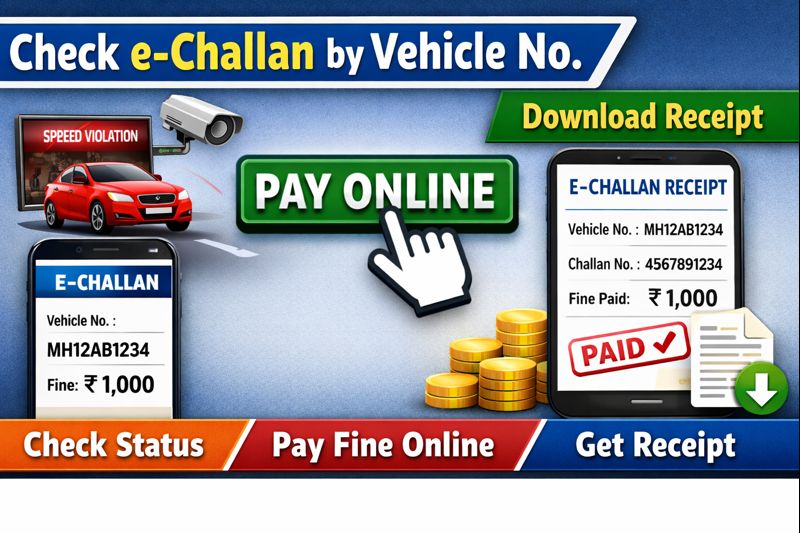
When the offence is recorded (by a traffic police officer, CCTV, speed-camera, or other system), an official challan is generated and entered into a central database. This becomes the official record against your vehicle number. With the e-Challan system, you can check if you have any pending fines and pay them online without visiting a police station or RTO.
Why e-Challan and What Are Its Benefits
- Transparency and record-keeping: Because fines are logged electronically in a national-level database, there is less chance of lost or fake challans.
- Convenience: You can check and pay fines online, from home or on your phone — no need to visit traffic police office.
- Clear history: All offences, payments, and due records remain linked to your vehicle registration number, making it easier to track.
- Simple payment methods: Most major payment modes are accepted online — net-banking, debit/credit cards, UPI, and digital wallets (depending on state) for e-Challan payment.
Common Violations & Typical Fine Range
While fines vary by state and offence type, some common offences that lead to e-Challan include:
- Driving without helmet / seatbelt
- Overspeeding
- Jumping signal / signal violation
- Driving without valid licence / documents / insurance / PUC
- Wrong-side driving / reckless driving / dangerous overtaking
- Illegal parking / not following parking rules
Depending on the offence and state traffic rules, fines can range from lower amounts (for minor offences) to larger fines for serious violations. For example, in many states overspeeding or driving without documents attract higher fines. (Because fine amounts vary widely across states, always check the challan details when you check online.)
Where to Check or Pay e-Challan Official Portals & Apps
If you want to check or pay your e-Challan:
- Use the official central portal by the government: eChallan (via Parivahan Sewa / Ministry of Road Transport & Highways) the website: echallan.parivahan.gov.in
- Many states and local traffic police also support payment via state-level portals or third-party apps (if integrated properly) but always verify before paying.
- Some private or auto-service apps also allow retrieving and paying your fines for example via apps such as one described by a private insurer/portal.
Step-by-Step: How to Pay e-Challan Online
Here is a simple flow you or any vehicle owner can follow to check and pay a pending e-Challan online:
- Open your web browser and go to the official e-Challan portal: echallan.parivahan.gov.in
- On the homepage, select the option “Check Online Services → Check Challan Status” or “Pay Online”.
- Enter either your vehicle registration number, or challan number, or driving licence number — whichever you have. Also enter the captcha code shown.
- Click “Get Detail”. The portal will fetch and show any pending challans (if issued) for your vehicle. You will see details such as offence, fine amount, date/time, etc.
- Choose the challan(s) you want to pay (if more than one) and click “Pay Now” (or equivalent button).
- Select payment method — options typically include net-banking, debit/credit card, UPI or digital wallet (varies by portal/state).
- Complete the payment. After successful payment, the system will generate a confirmation — e-receipt or payment confirmation message. Save or download this receipt (you might need it later as proof).
- Optionally, re-check challan status after some time (or refresh) to confirm that the challan shows as “Paid”. This ensures your record is updated in the database.
Often, the payment confirmation is also sent to your registered mobile number (if the system supports SMS alert).
Alternate Modes & Apps for Paying e-Challan
Not everyone prefers to use the official portal every time. Some alternate methods and apps also offer convenient payment options:
- Certain insurance or vehicle-service apps allow you to check and pay traffic fines online. For instance, there are apps that let you pay challan via UPI or other payment modes.
- Payment via popular apps: in many cases you can use UPI or mobile payment apps that support bill payments or fine payments — as long as they integrate with the official traffic fine payment gateway.
- Some states offer local portals or state-specific traffic police websites where you can check and pay e-Challan — if they are linked properly with the national database.
But always double check that the site or app is official or trusted before giving any payment or personal / vehicle details, to avoid scams or fake challans.
What Happens After Payment What You Should Do
- Once payment is done successfully, your challan’s status becomes “Paid / Cleared” in the system. This means that offence for that fine is considered resolved.
- You will get a digital receipt or confirmation keep a copy (save PDF, screenshot, or print). This acts as proof if you ever need to show it, e.g. at a traffic check or if dispute arises.
- Having a paid/challan-cleared record helps keep your vehicle registration and documents clean which is important if you later sell the vehicle, transfer it, renew licence, or apply for any official permit.
What If You Don’t Pay Consequences & Risks
Failing to pay a pending e-Challan can cause several problems:
- The challan remains pending in record. Over time, this may lead to additional penalties, legal notices or even summons, depending on severity of offence and state rules.
- Pending fines may cause issues at times of vehicle sale, transfer, registration renewal, or insurance claims. Authorities may check the offence history.
- Also, having unpaid challans may disqualify your vehicle from certain services or lead to further enforcement — it’s generally safer to clear fines quickly and keep records clean.
Common Mistakes & What To Watch Out For
When paying e-Challan or checking your challan status, many people make some mistakes. Here are some common issues and how to avoid them:
- Don’t trust random SMS or WhatsApp messages claiming that you have a challan and asking to click unknown links these may be scams. Only use the official portal or trusted apps.
- Always enter correct details (vehicle number, challan number or driving licence number) a typo can lead to “no record found” or payment of wrong challan.
- Wait for and save the payment confirmation / receipt do not assume payment succeeded until you see confirmation or receipt.
- If paying via third-party apps or wallets, ensure that they are authorised and linked properly with the official system avoid apps from unknown sources.
Tips & Best Practices for Drivers
- Check regularly: Every few months, you may check your vehicle number on the e-Challan portal, especially after recent travel in big cities to ensure no fines are pending.
- Pay early: If you receive a challan or suspect violation, pay as soon as possible to avoid penalty escalation.
- Keep documents ready: Have your vehicle registration number, licence number, mobile number (linked to vehicle) handy these will make checking and payment much smoother.
- Use official portal or trusted apps only: For safety. Avoid unverified links or messages.
- Save receipt: Once paid, save or print the receipt it’s your proof of payment.
Article Summary Why Paying e-Challan Online Is Useful
In today’s digital times, paying traffic fines is no longer a hassle. With e-Challan via the national portal (Parivahan) or state portals and helper apps, you can check, pay, and clear violations from your phone or laptop.
This saves time, reduces paperwork, ensures transparent records, and helps you avoid future problems related to unpaid fines. For every vehicle owner, timely and correct settlement of any traffic fines is not just responsible it is necessary.
If you follow the steps carefully, pay via official portal or trusted app, and keep receipts — the process is smooth and safe.