
The Parivahan portal is India’s official government system for transport and vehicle services. It covers everything from driving licences to vehicle registration, e-challans, and status checks. The site address is parivahan.gov.in and it links to sub-portals like Vahan (vehicle services) and Sarathi (driver licences).
Millions of people use Parivahan every year. For example, regional transport offices (RTOs) issue over 1 lakh learner licences and more than 68,000 permanent licences in busy districts like Pune alone over nine months.
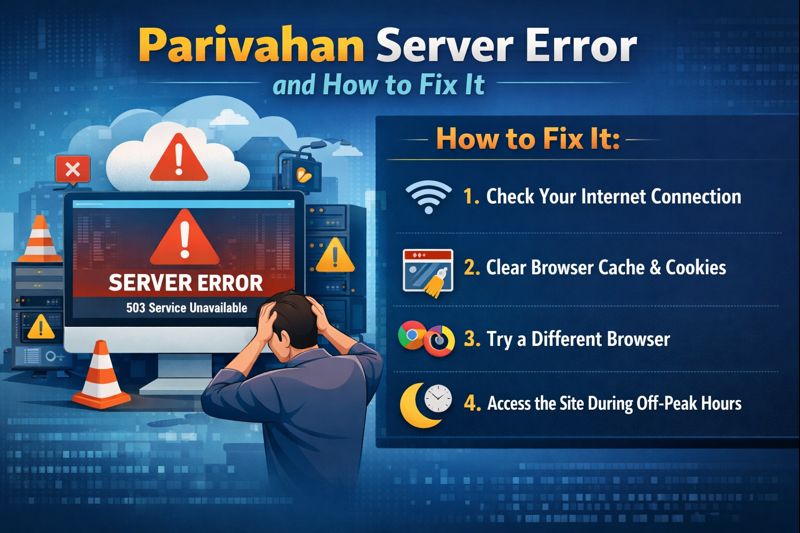
A Parivahan server error happens when the website cannot load or operate correctly. This prevents users from applying for services or checking status. For many, this can delay licence renewals, vehicle approvals, or payment processing.
How to Check Your DL Status in Sarathi’s Pending Queue (Complete A–Z Guide)
What Is a Server Error Exactly
A server error means the website’s computer system (the server) cannot process your request. You might see messages like “Server Unavailable,” “500 Error,” or the page simply won’t load. Errors often happen when:
- The server is overloaded with users
- Technical problems break the connection
- Maintenance or updates are running
- Your browser or internet connection has an issue
Parivahan errors are common during high traffic hours such as 10 AM–2 PM and 6 PM–10 PM. These are peak times when many people check online.
When this happens, you cannot proceed with online applications, check statuses, or make payments until the server is available again.
Common Parivahan Server Errors Users See
Users typically encounter these issues:
- Page not loading at all
- Blank screen or partial content
- HTTP 503 Service Unavailable
- Login problems or OTP not arriving
- Payment pages freezing or not completing
For example, many users report that Vahan or Sarathi pages do not open when the server is overloaded. Tools that check website status sometimes mark these sub-sites as “down” when errors persist.
Some people trying to make online challan payments see errors like “Sorry, please try again,” especially when the system cannot reach the payment gateway.
Why These Errors Happen (Behind the Scenes)
Server errors occur for a few main reasons:
- High Traffic: When too many users visit at once, the server gets overloaded and can fail to respond in time.
- Maintenance or Updates: Official updates carried out by technical teams can temporarily shut down parts of the portal.
- Technical Glitches: Software bugs, database issues, or hardware problems can disrupt service.
- Browser/Device Issues: If your browser is outdated or has broken cache, it might not display correctly.
- Network Problems: Slow or unstable internet can cause timeouts or partial loads.
Most errors are temporary and fix themselves once traffic drops or maintenance finishes.
How to Check If the Parivahan Site Is Down
Before trying fixes, check whether the problem is server-side or just on your device:
- Use online status checkers that test if the website is reachable.
- Try opening the portal on a different device or browser.
- See if the app mParivahan works when the website does not
If the error shows up on other phones or computers, it likely means the Parivahan servers are down, not your device.
Quick Troubleshooting Steps You Can Try
Here are simple steps to fix errors on your end:
- Refresh the page.
- Clear your browser cache and cookies. This removes old, corrupted data that might block pages.
- Try a different browser like Chrome, Firefox, or Edge.
- Disable VPN or proxy services if you use them; regional routing can affect access.
- Use Incognito mode so no browser extensions interfere.
- Restart your modem or router to refresh your connection.
If these do not work, wait a short time and try again during off-peak hours like early morning (6 AM–9 AM) or late night (11 PM–2 AM).
What to Do If You Still Can’t Access Services
If server errors continue:
- Wait 30–60 minutes, then retry.
- Try the mParivahan app for key services; sometimes the app works even when the website is slow.
- Visit your local RTO office for help if you have deadlines for licence tests or registrations.
- Contact official support:
- Driving licence helpdesk: helpdesk-sarathi@gov.in
- Vehicle services helpdesk: helpdesk-vahan@gov.in
- Phone lines are often available Monday to Saturday, 9 AM–6 PM.
These official contacts are best for problems like OTP failures, account issues, or service timeouts.
Peak Hours and Traffic Numbers
Peak periods see heavy load on the servers. According to status reports:
- 10 AM to 2 PM and 6 PM to 10 PM are high use times.
- During these periods, slower responses and timeouts are common.
Using the portal during quieter hours reduces the chance of errors. For example, early mornings see fewer users, so pages are more likely to load quickly.
If you have to do urgent work, plan outside peak times to avoid disruption.
How Errors Impact Common Services
When the server is down, it affects key functions like:
- Learner licence applications
- Permanent driving licence bookings
- Vehicle registrations and renewals
- e-Challan checks and payments
For example, if you cannot open the Learner licence page, booking appointments is delayed. RTO offices have reported that system downtime sometimes forces people to wait days before they can complete their work.
Errors also delay important proof updates such as mobile number changes, fee payments, and OTP-verified actions.
Future Improvements and User Tips
The government regularly updates Parivahan servers and software to handle heavy traffic and new services. Scheduled maintenance often causes short outages, but these are meant to improve performance in the long run.
Smart user tips:
- Bookmark the exact official pages to avoid wrong links.
- Keep your browser updated.
- Have your documents and numbers ready before starting applications.
- Try the mParivahan mobile app if the website fails.
Errors are frustrating, but most can be handled quickly with basic fixes or by trying again later.
When updatimg my mobile number with my vehicle registration , after filling all details like reg no , chasis no , aadhar details and everything . Once click on verify it always says ” please try after some time ” . I tried in non busy hours also ..and faced same issue.
This error usually happens due to Parivahan server or Aadhaar verification issues, not because of your mistake.
Try again early morning using a desktop browser, or visit the nearest RTO if the problem continues.